Muun — Backup

Copy reviewPersona: DaveNew

3 high6 medium2 low
Copy review
Judges only the words on screen — headings, button labels, error messages, terminology — for clarity and consistency, and proposes the replacement wording. Doesn't assess flow structure, step order, or who the wallet is for.
Dave — Self-custody veteran leaving an exchange
Years on a centralised exchange, but has never held his own keys. Knows the vocabulary, dislikes being over-explained to, and wants the wallet to prove that backup and recovery actually work.

Generated automatically and not manually verified. Findings quote the screens they reference so they can be checked against the originals.

Summary

Muun's backup flow has four distinct concepts, not four names for one thing, and the distinctions are real — but only two of the four are consistently named on screen. "Recovery Code" and "Emergency Kit" are proper nouns used precisely throughout. "Recovery phrase" is not Muun's word at all: it appears nowhere in the flow's copy, only in the Gallery's filename for one screen. And the first method is never given a name — it is "Back up your wallet" in the Security Center, "Back up your wallet" again on its own screen, and "email recovery" only inside a confirmation dialog. The deeper problem is that "Back up your wallet" is also the title of the Recovery Code screens, so the flow's most-used heading identifies three different things, while the credential that everything else depends on is filed under "alternative backup." The single highest- value change is to give each of the three methods one name and use it in every state.

Findings

Eleven findings below, most severe first. Every observed string is quoted from the screenshot named in the same entry.

The terminology check the review was asked for, stated plainly:

Term Where it actually appears Verdict
Recovery Code 8 screens, always capitalised, always the same object Genuine concept, consistently named
Emergency Kit 9 screens, always capitalised, always the PDF Genuine concept, consistently named
verification code 2 screens — the 6-digit number printed on the kit Genuine concept, but collides with "Recovery Code" as a name
email backup Never on screen. Screens say "Back up your wallet"; the dialog says "email recovery" Genuine method, unnamed — the Gallery title supplied "email backup"
recovery phrase Never on screen, anywhere in the flow Not Muun's terminology — a Gallery filename artifact
alternative backup / a code on paper / the code you wrote down 5 screens Three more names for the Recovery Code

So the premise that the flow mixes "recovery phrase" with "recovery code" does not hold: Muun never says "recovery phrase". That is the right call, and worth protecting — Muun's code is not a BIP39 word list, and the Bitcoin Design Guide's backup and recovery page (reached by redirect from this flow's curated link) reserves "recovery phrase" for "the fundamental information (consisting of 12 or 24 words) used to construct a wallet." Borrowing that term for something else would be the worse error. The Guide does not legislate naming consistency beyond using "recovery phrase" uniformly itself, so the findings below rest on internal consistency rather than on Guide conformance.

Findings

  1. 1highConfusion
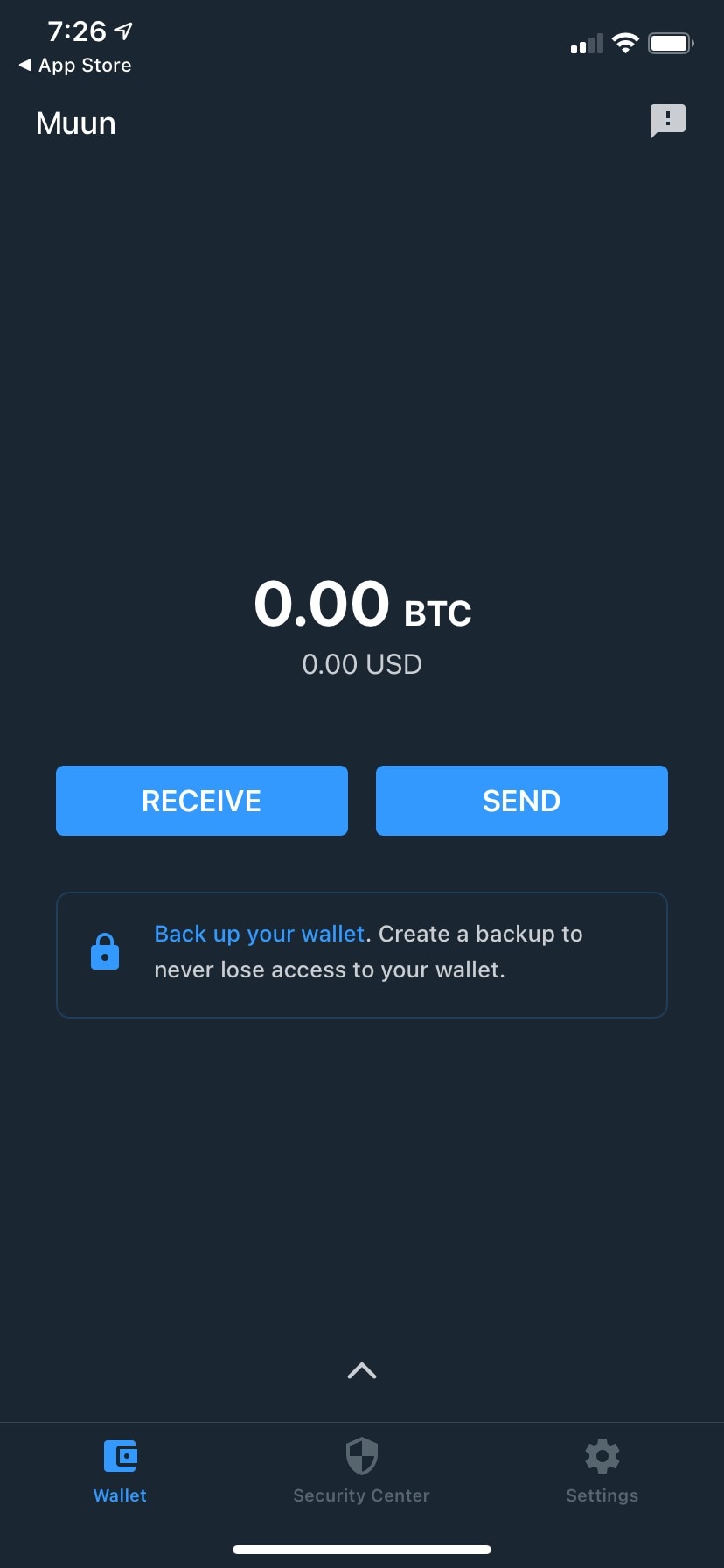
    Back up your wallet

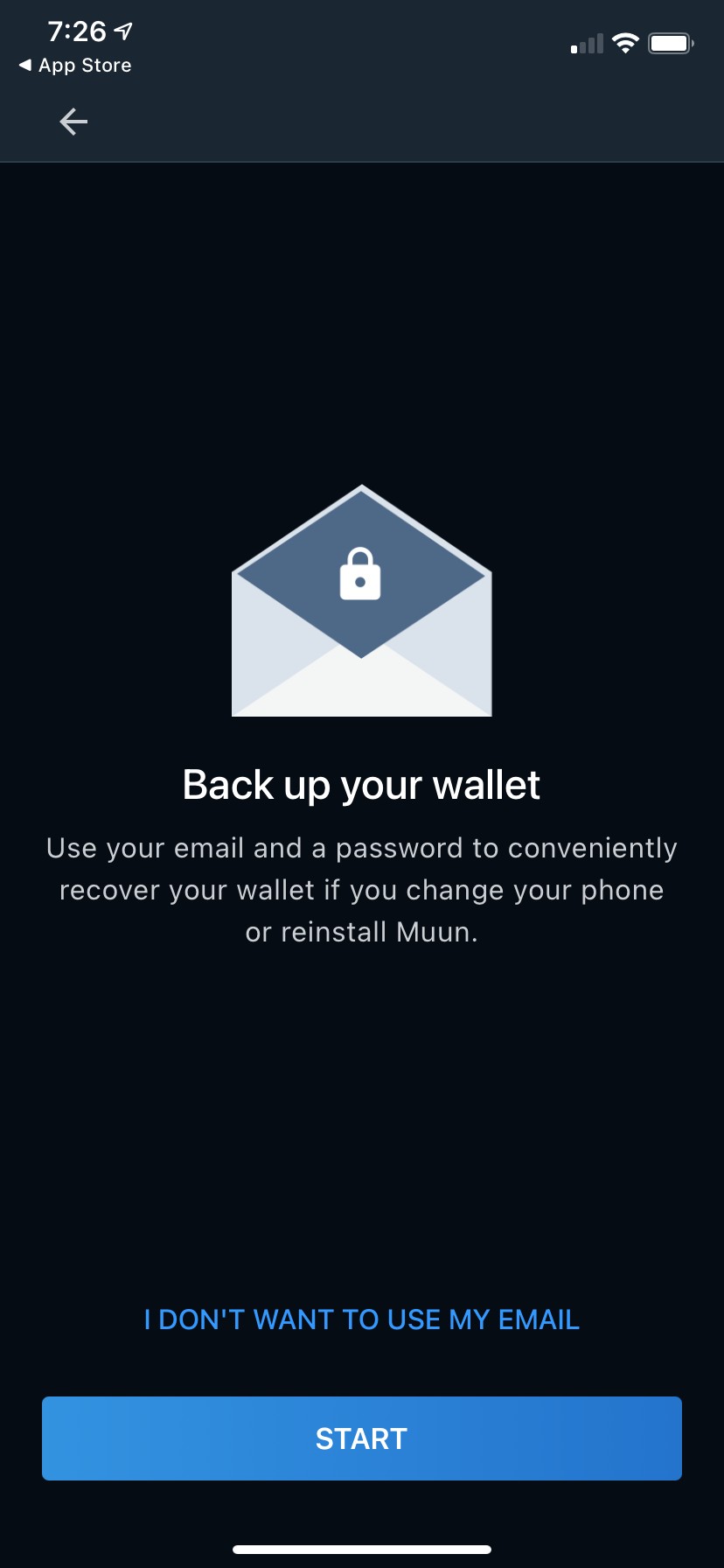
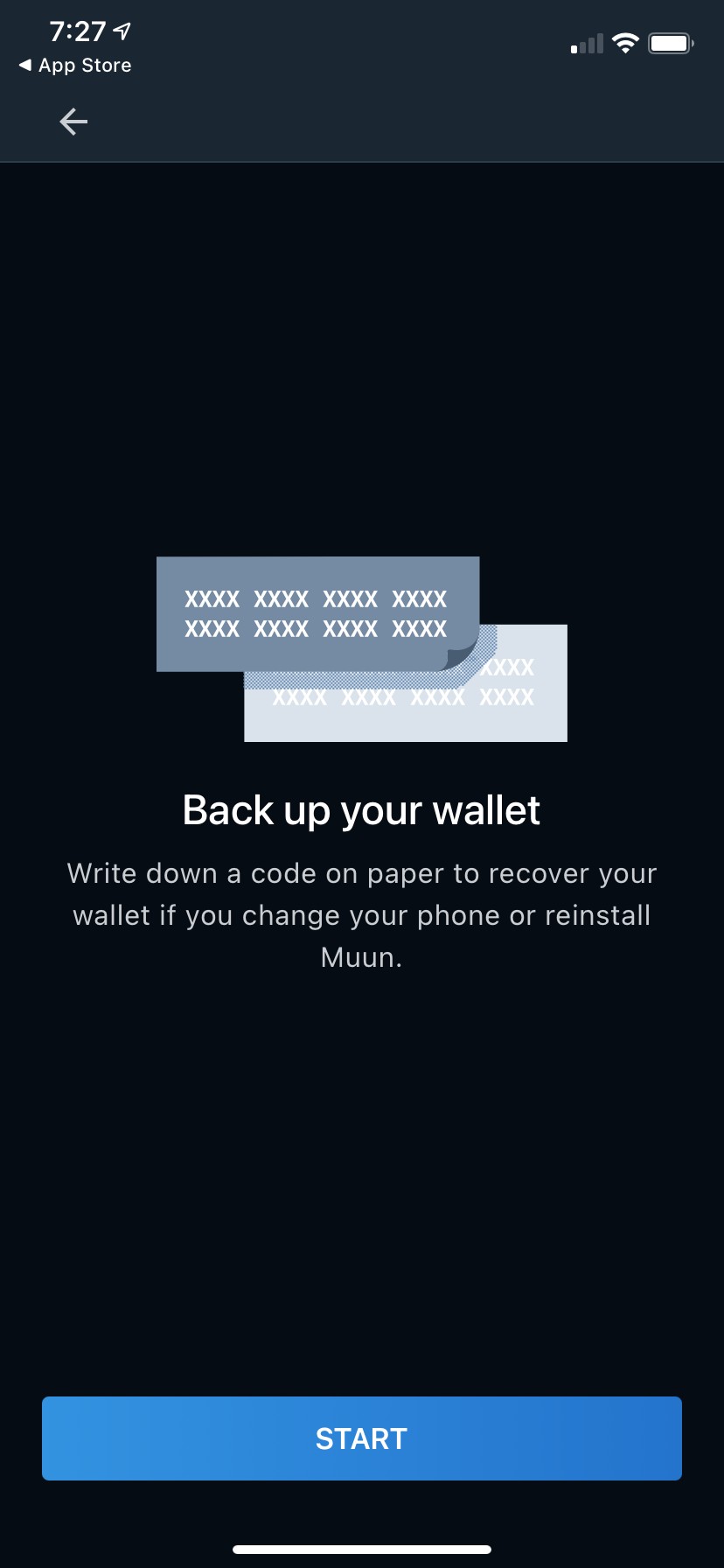
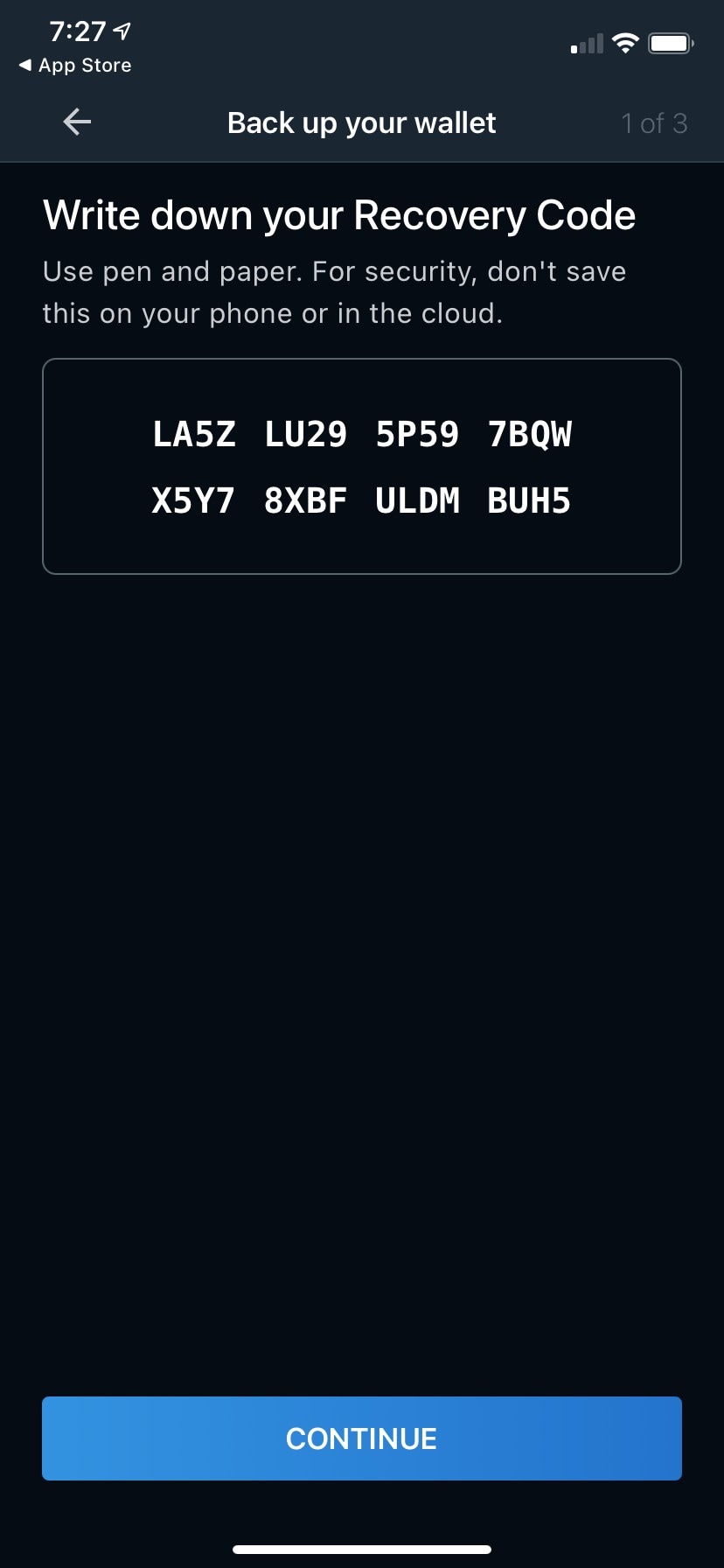
    The same four words are the label for four different things. On the wallet screen they are the link into the Security Center. In the Security Center they are the title of step 1, the email-and-password method. On the email screen they are the page title. On the alternative-backup screen they are again the page title — now for a completely different method. And in the Recovery Code steps they are the persistent nav bar title above "1 of 3". A reader who navigates back cannot tell from the title which of the three backups they are in, and two screens that look near-identical in the transcript ("Back up your wallet" + illustration + body + START) are in fact different methods. Muun already has three good proper nouns; the generic phrase is what's overloaded.

    Suggested fix Reserve "Back up your wallet" for the section, never for a method. Security Center step 1 title → "Set up email recovery". Email screen title → "Set up email recovery". Alternative-backup screen title → "Write down your Recovery Code". Recovery Code steps nav title → "Recovery Code". Wallet-screen banner body → change "Create a backup to never lose access to your wallet." to "Set up a way to recover it if you lose this phone."

  2. 2highDrop-off risk
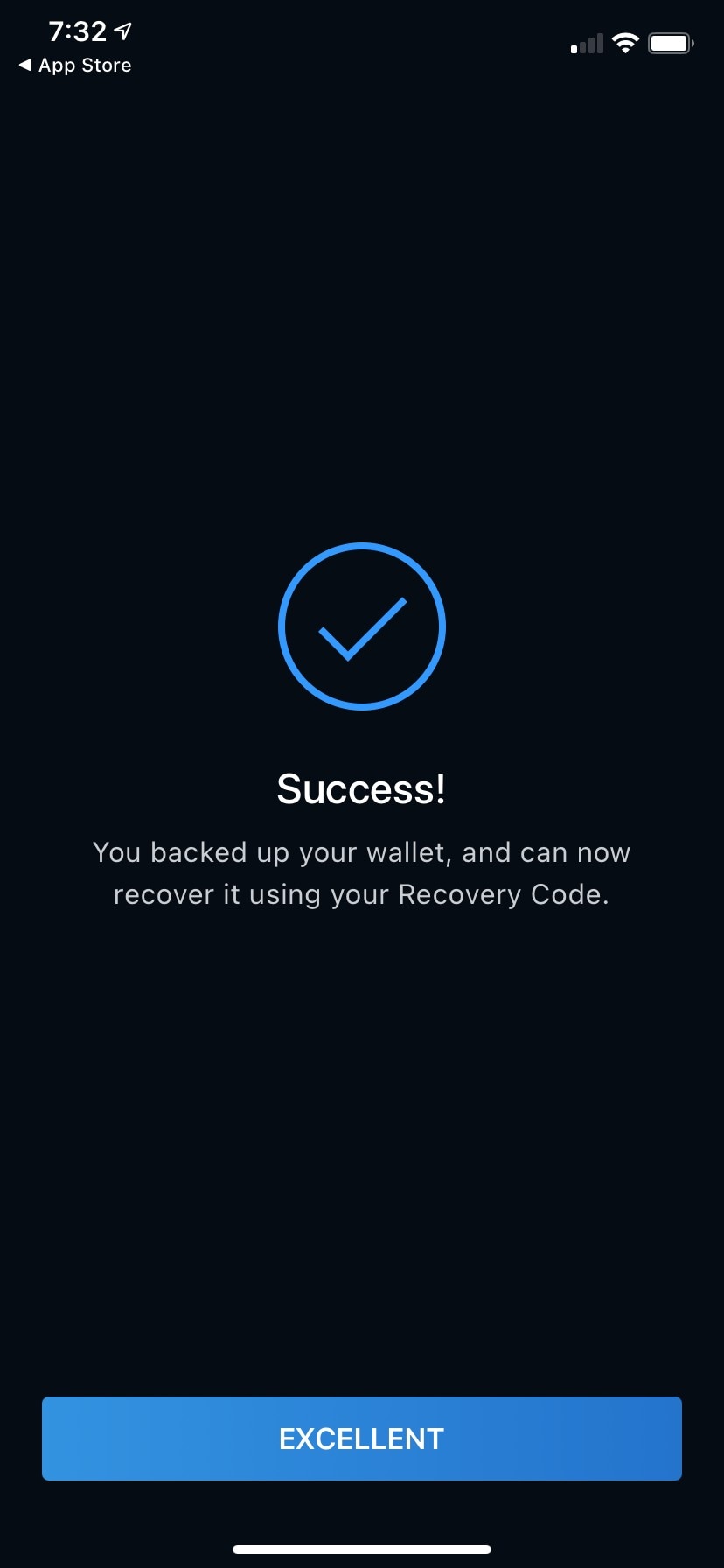
    You backed up your wallet, and can now recover it using your Recovery Code.

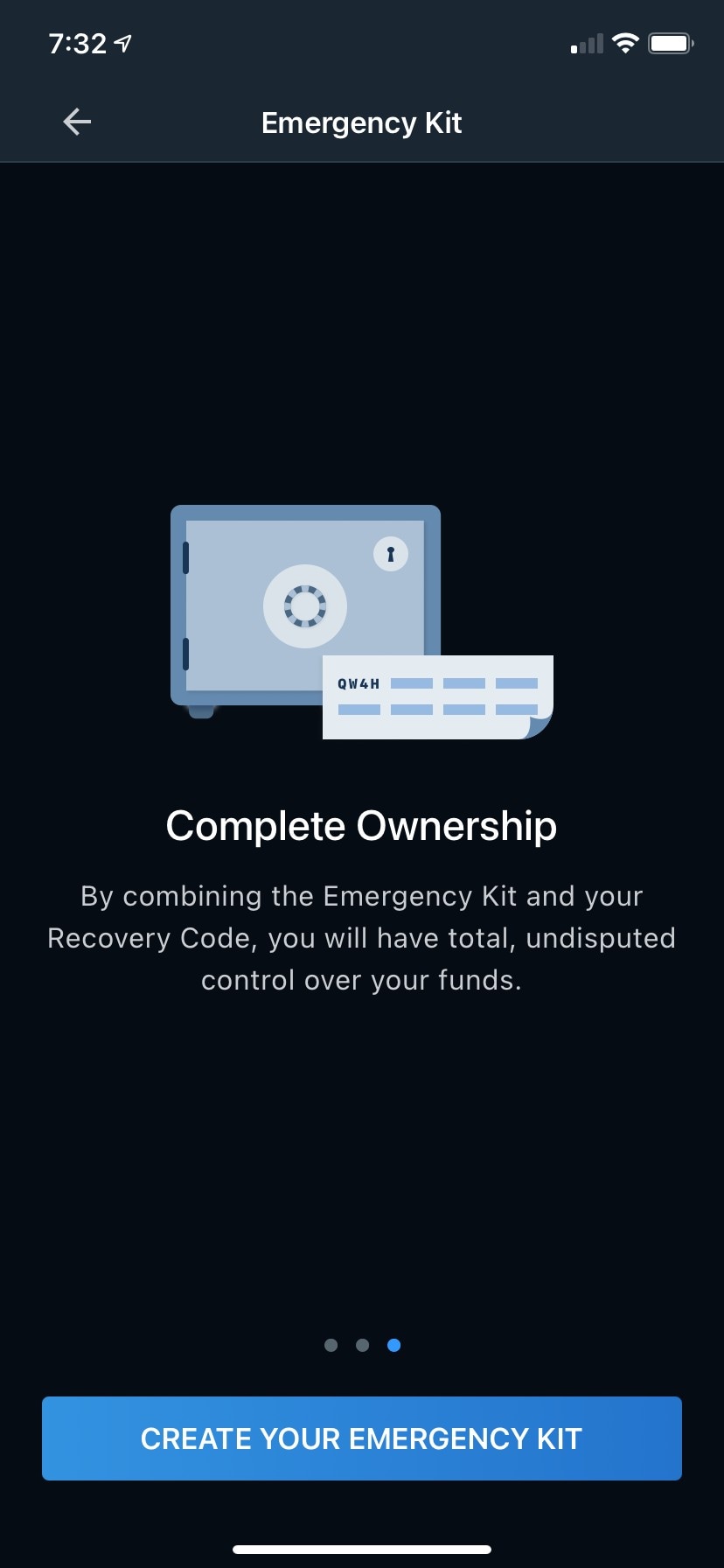
    This sentence is contradicted by the next screen and by a later one. Tapping through lands on a Security Center that says "You're one step away from a complete setup", and the Emergency Kit intro says recovery takes both pieces: "By combining the Emergency Kit and your Recovery Code, you will have total, undisputed control over your funds." In this path the user skipped email, so the success screen is the strongest claim of safety in the flow, it appears at the natural stopping point, and it is the one place the flow tells them the code alone is enough. Dave's whole test is whether the wallet can prove recovery works; a promise the next screen walks back fails it.

    Suggested fix Make the line state what the user actually holds. With email recovery set up → "Saved. You can now recover your wallet with your email, password and Recovery Code." With email skipped → "Your Recovery Code is saved. To recover your wallet with it you'll also need an Emergency Kit — that's the last step."

  3. 3highConfusion
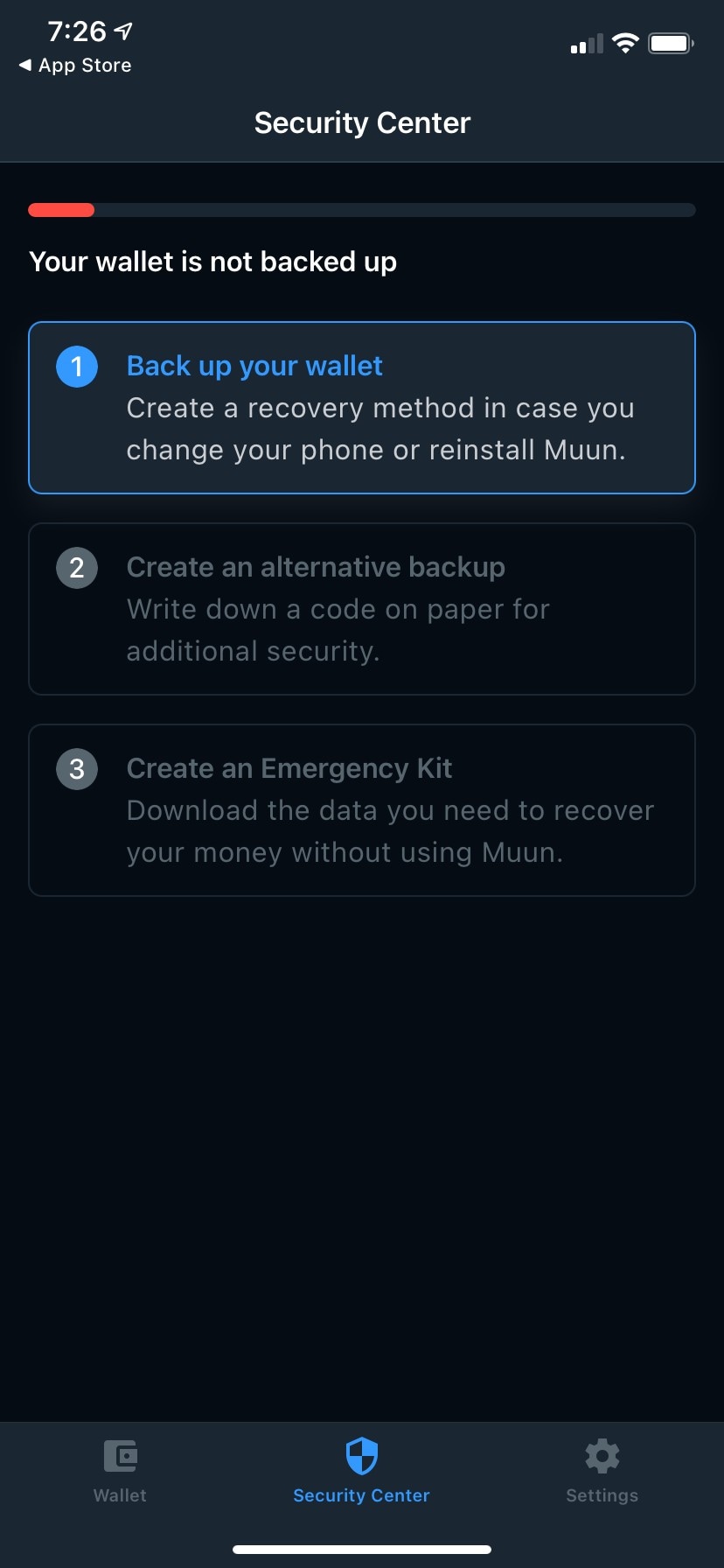
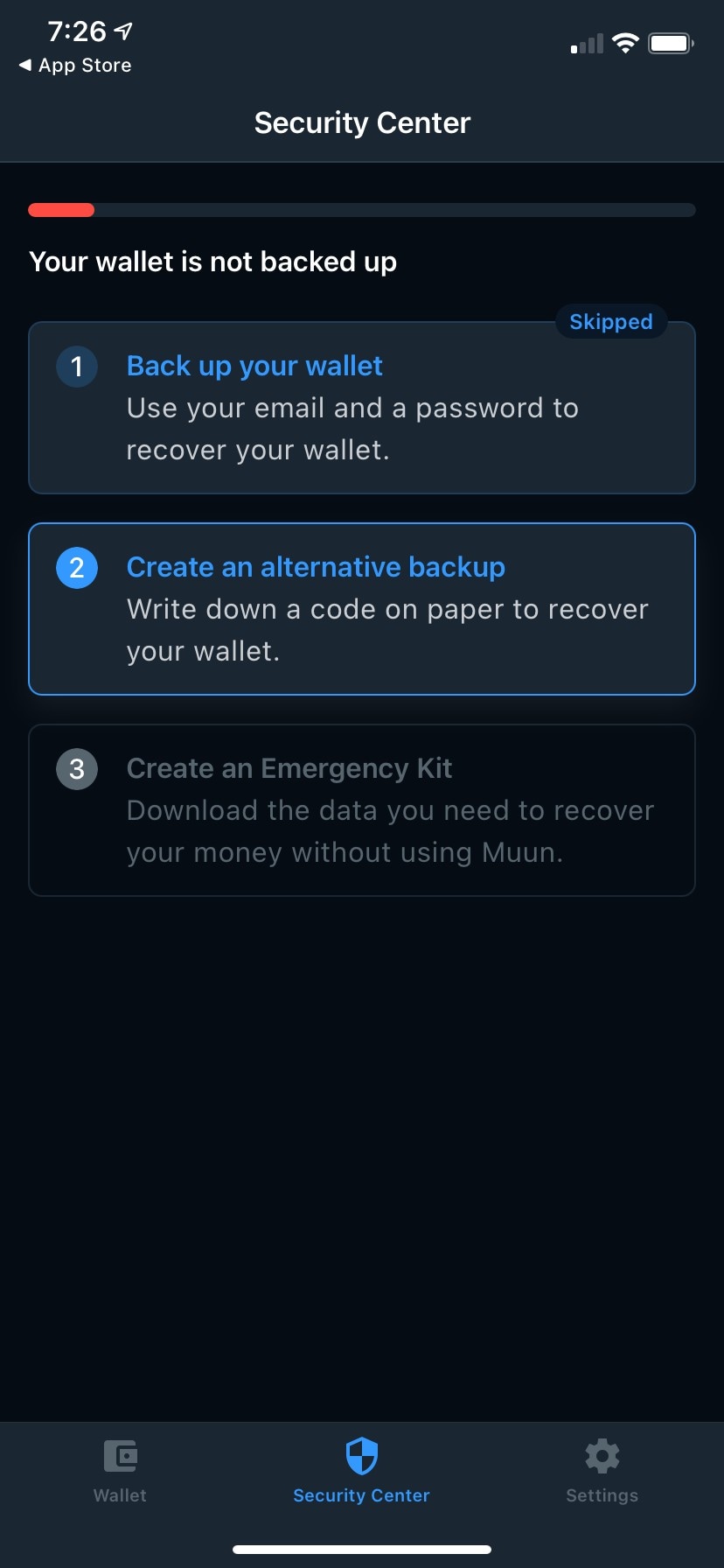
    Create an alternative backup

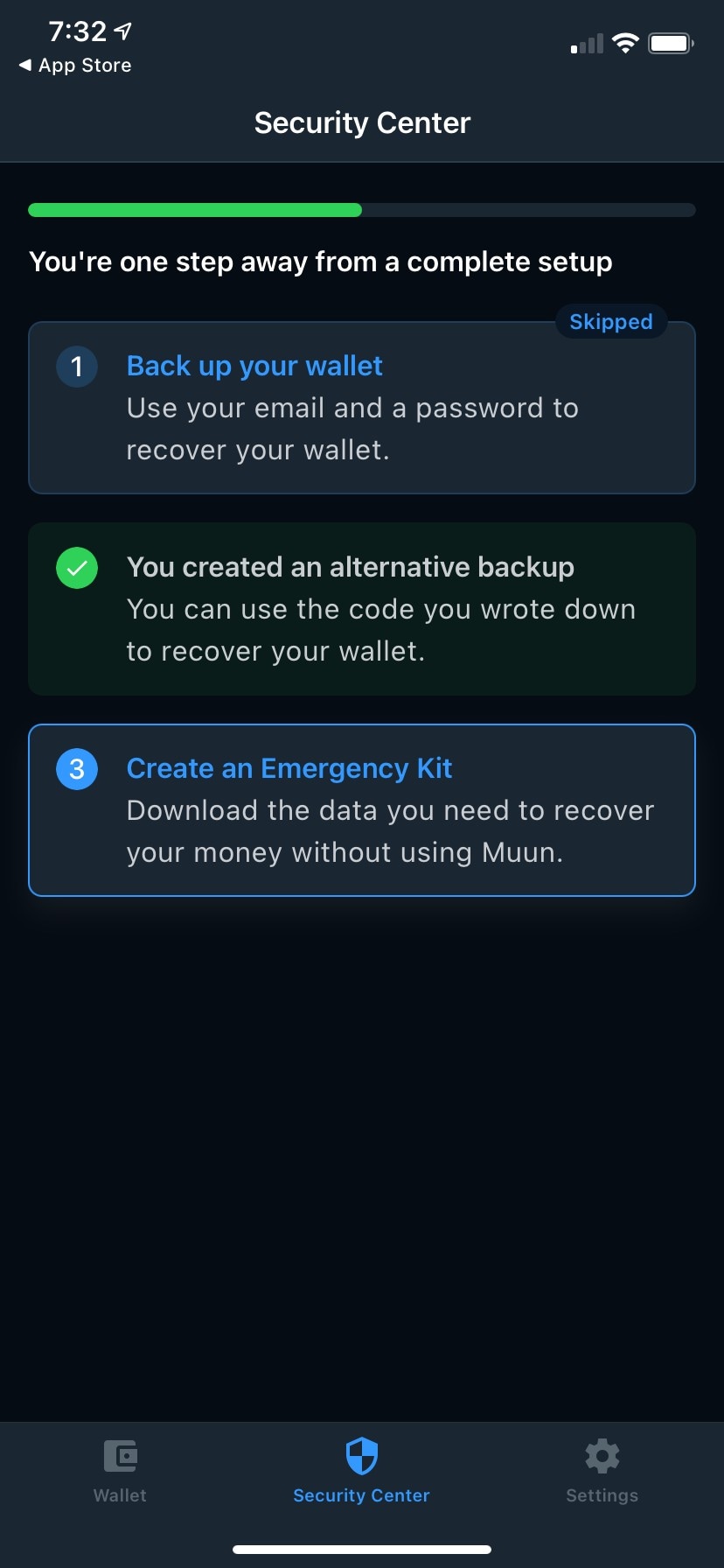
    One credential carries four names before it is ever named. The Security Center calls it "an alternative backup" and "a code on paper"; after completion it is "the code you wrote down"; only inside the flow does it become "Recovery Code", and the Security Center card never adopts that name, so the user cannot map the card to the thing they wrote down. Worse, "alternative" is the wrong frame: by the flow's own account the Recovery Code is what encrypts the Emergency Kit ("Your private keys are securely encrypted with your Recovery Code") and what rescues a forgotten password. It is the one credential the other two methods depend on, presented as the optional side branch.

    Suggested fix Name it once and use that name everywhere. Security Center step 2 title → "Write down your Recovery Code", description → "A code on paper. You'll need it to recover your wallet and to open your Emergency Kit." Completed state → "You wrote down your Recovery Code" / "Keep it somewhere safe — you'll need it to recover your wallet and to open your Emergency Kit." Setup screen body → "Write your Recovery Code on paper. You'll need it to recover your wallet, and to open your Emergency Kit."

  4. 4mediumConfusion
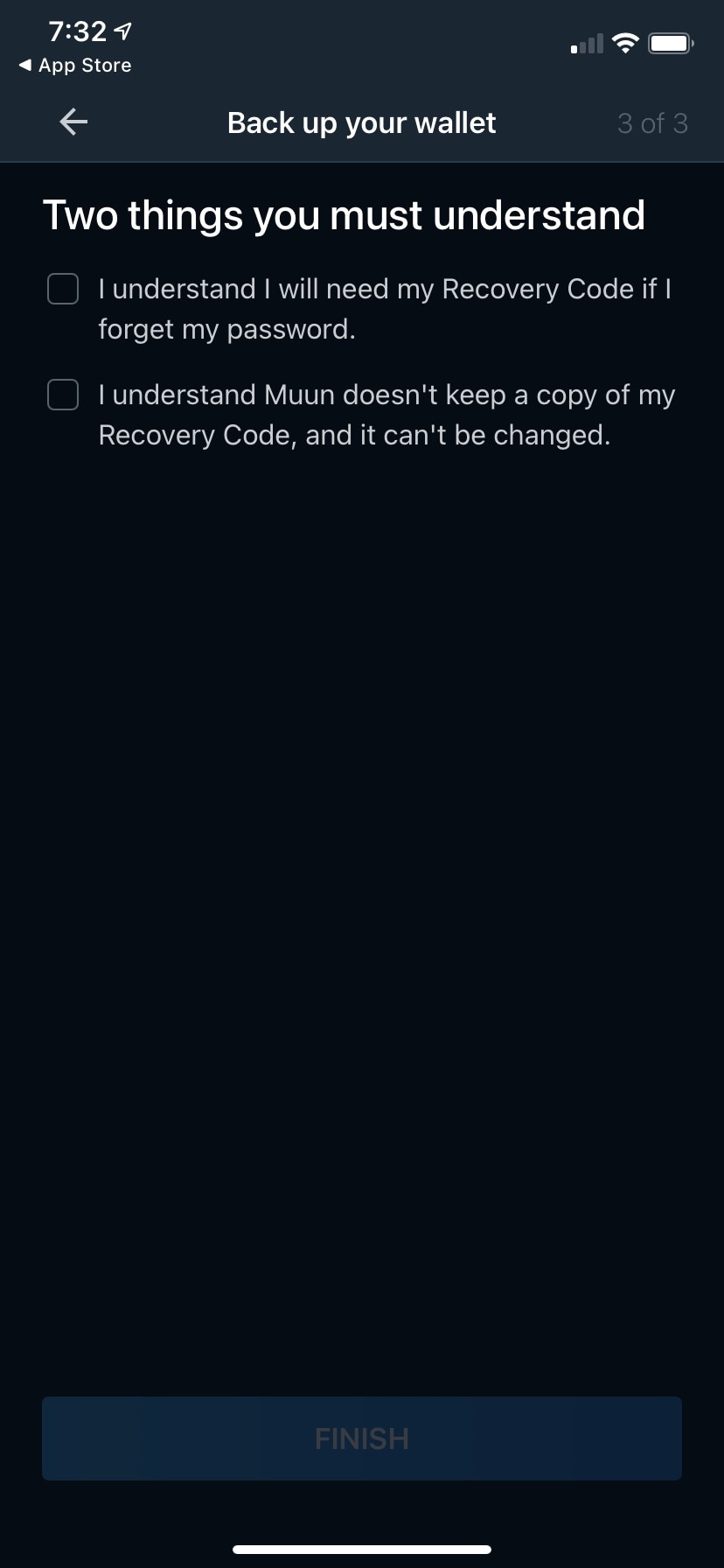
    I understand I will need my Recovery Code if I forget my password.

    A mandatory acknowledgment about a credential this path never created. The user skipped email two screens earlier, so there is no password to forget — and the checkbox teaches exactly the wrong mental model at the moment it matters most, framing the Recovery Code as a password-reset fallback rather than as the only route back in. The heading "Two things you must understand" also switches the flow into a compliance register it uses nowhere else, which reads as Muun protecting itself rather than the user.

    Suggested fix Make the first checkbox conditional. With email recovery set up, keep the current line. With email skipped → "I understand my Recovery Code and my Emergency Kit are the only way back into this wallet." Heading → "Two things to know before you finish".

  5. 5mediumConfusion
    Write down a code on paper for additional security.

    Security Center cards rewrite themselves between states, and the rewrite changes the claim. Step 2 is "for additional security" in the first state and "to recover your wallet" in the second — optional hardening versus a recovery method, which are different reasons to do it. Step 1 does the same thing: "Create a recovery method in case you change your phone or reinstall Muun." becomes "Use your email and a password to recover your wallet." A user who returns to this screen twice gets a different explanation each time and has no way to know nothing changed but the copy.

    Suggested fix One description per card, identical in every state. Step 1 → "Use your email and a password to recover your wallet." everywhere (drop the "Create a recovery method…" variant). Step 2 → "A code on paper. You'll need it to recover your wallet and to open your Emergency Kit." everywhere.

  6. 6mediumConfusion
    Download the data you need to recover your money without using Muun.

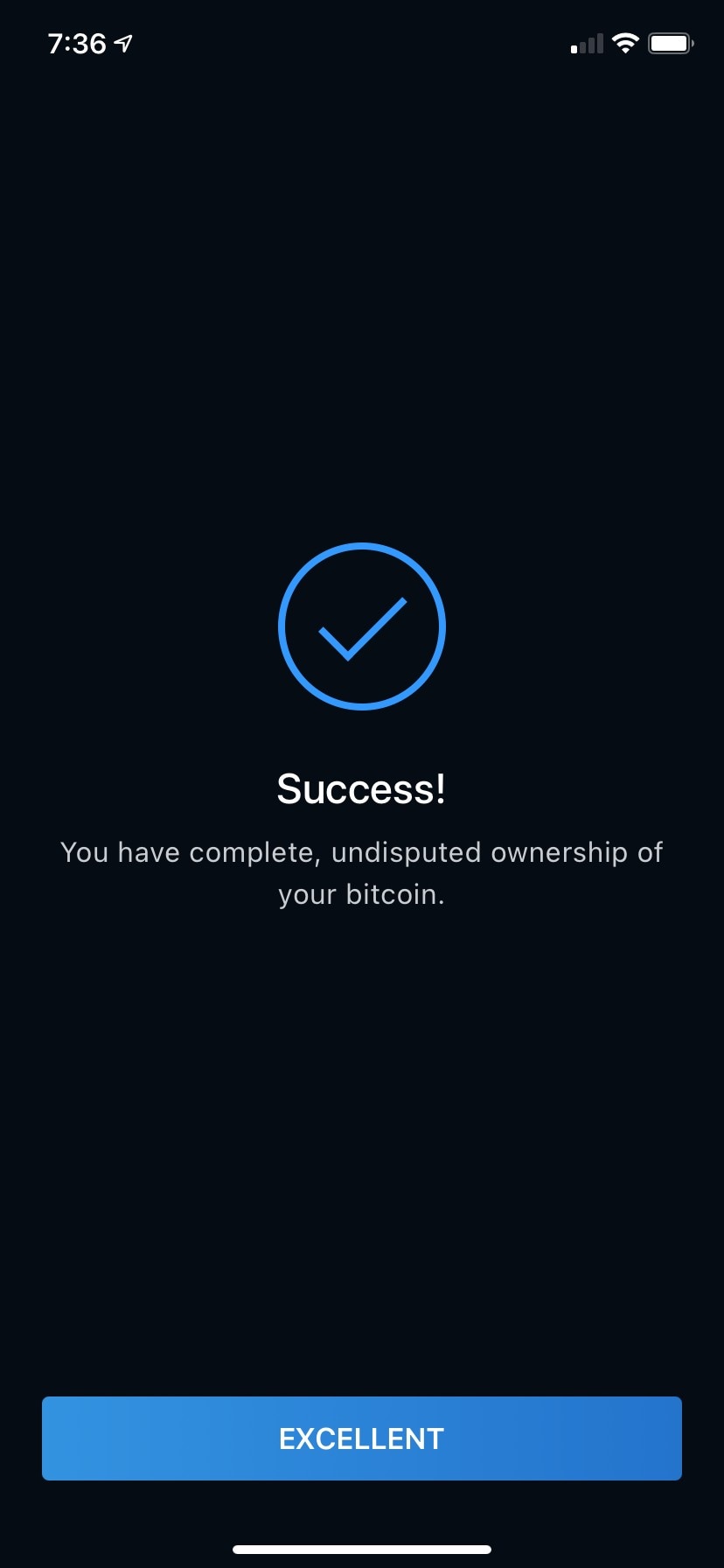
    The thing being protected is named five ways across twenty screens - "your money" in the Security Center, "your funds" on the Emergency Kit intro and ownership screens, "your bitcoin" on the final success screen, "your private keys" on the storage screen, and "your wallet" everywhere else. Each shift invites the reader to wonder whether a different thing is meant, and in a backup flow that question is expensive. "The data" in this string is also doing no work — it tells the user nothing about what they are downloading.

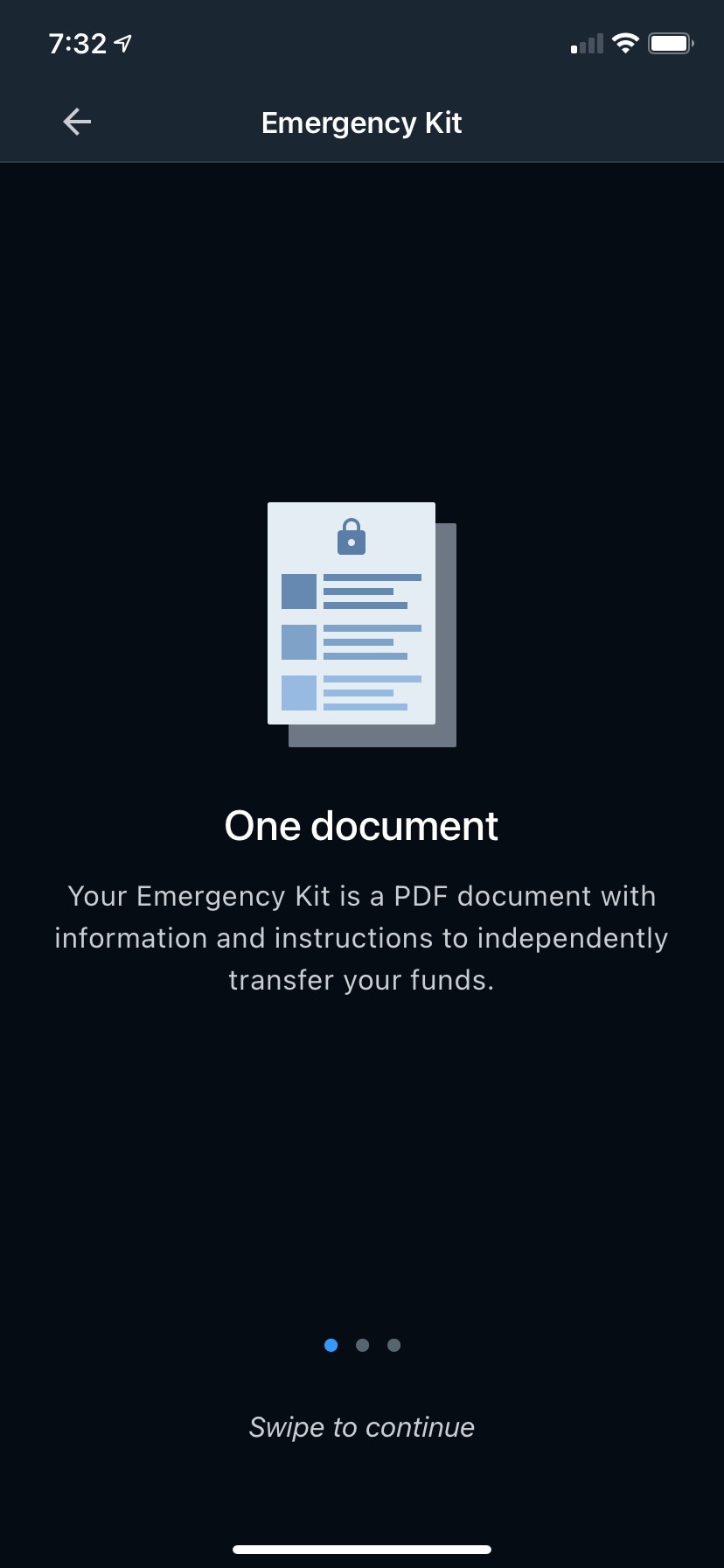
    Suggested fix Use "your bitcoin" for value and "your wallet" for the app-level thing; retire "money" and "funds". Security Center step 3 → "A file that lets you recover your bitcoin without Muun." Completed state → "Follow the instructions in the kit you saved to recover your bitcoin without Muun." Emergency Kit intro → "Your Emergency Kit is a PDF with everything you need to move your bitcoin yourself, without Muun."

  7. 7mediumFriction
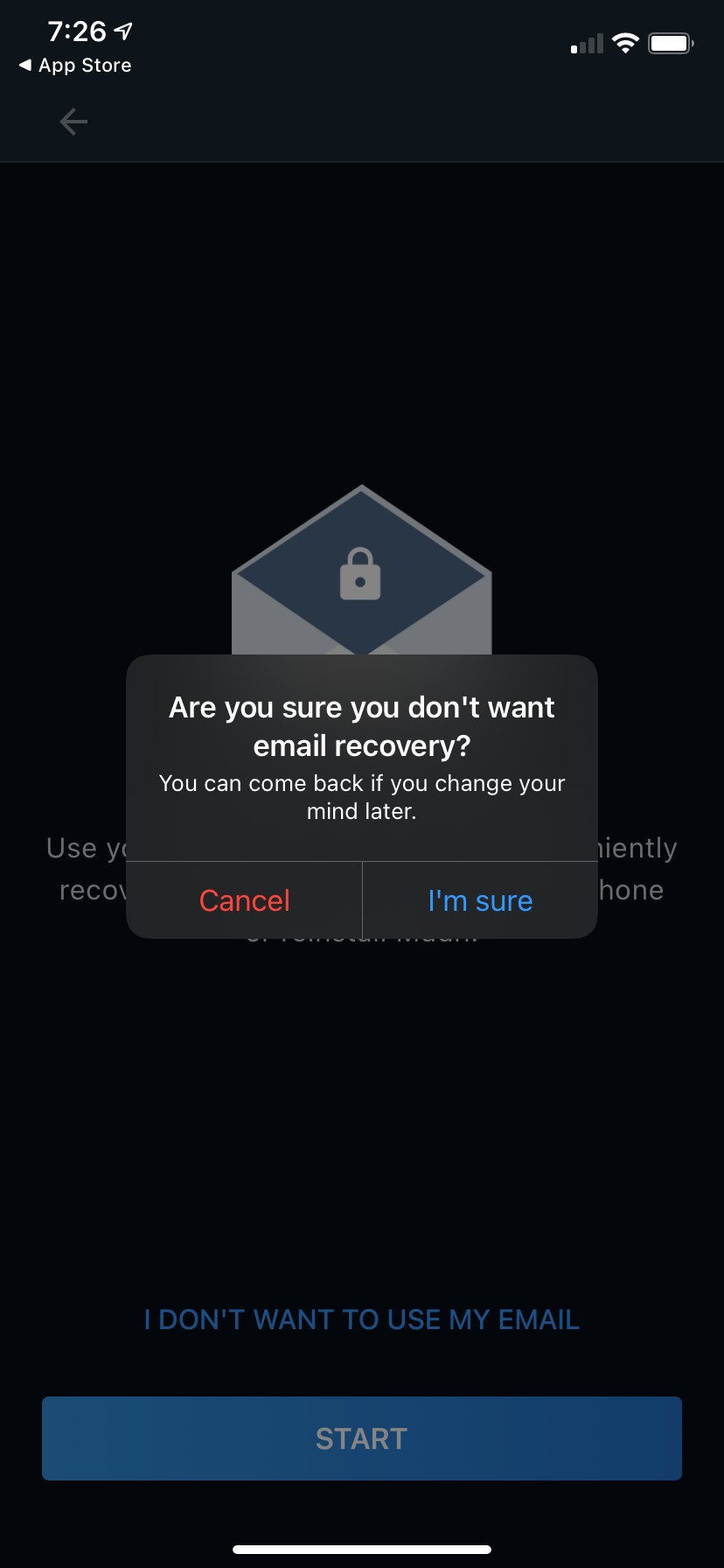
    Are you sure you don't want email recovery?

    The dialog introduces a name the flow has not used — the screen behind it says "Back up your wallet" and the link says "I DON'T WANT TO USE MY EMAIL", so "email recovery" appears for the first and only time here, in a confirmation. The buttons then compound it: against a negatively-phrased question, "Cancel" and "I'm sure" are both ambiguous. Cancel the dialog, or cancel email recovery? A user who wants to keep email has to reason about a double negative to find the safe button.

    Suggested fix Name the method up front and let the buttons state their outcomes. Link → "Skip email recovery". Dialog title → "Skip email recovery?" Body → "You can set it up later in the Security Center." Buttons → "Set it up" and "Skip".

  8. 8mediumConfusion
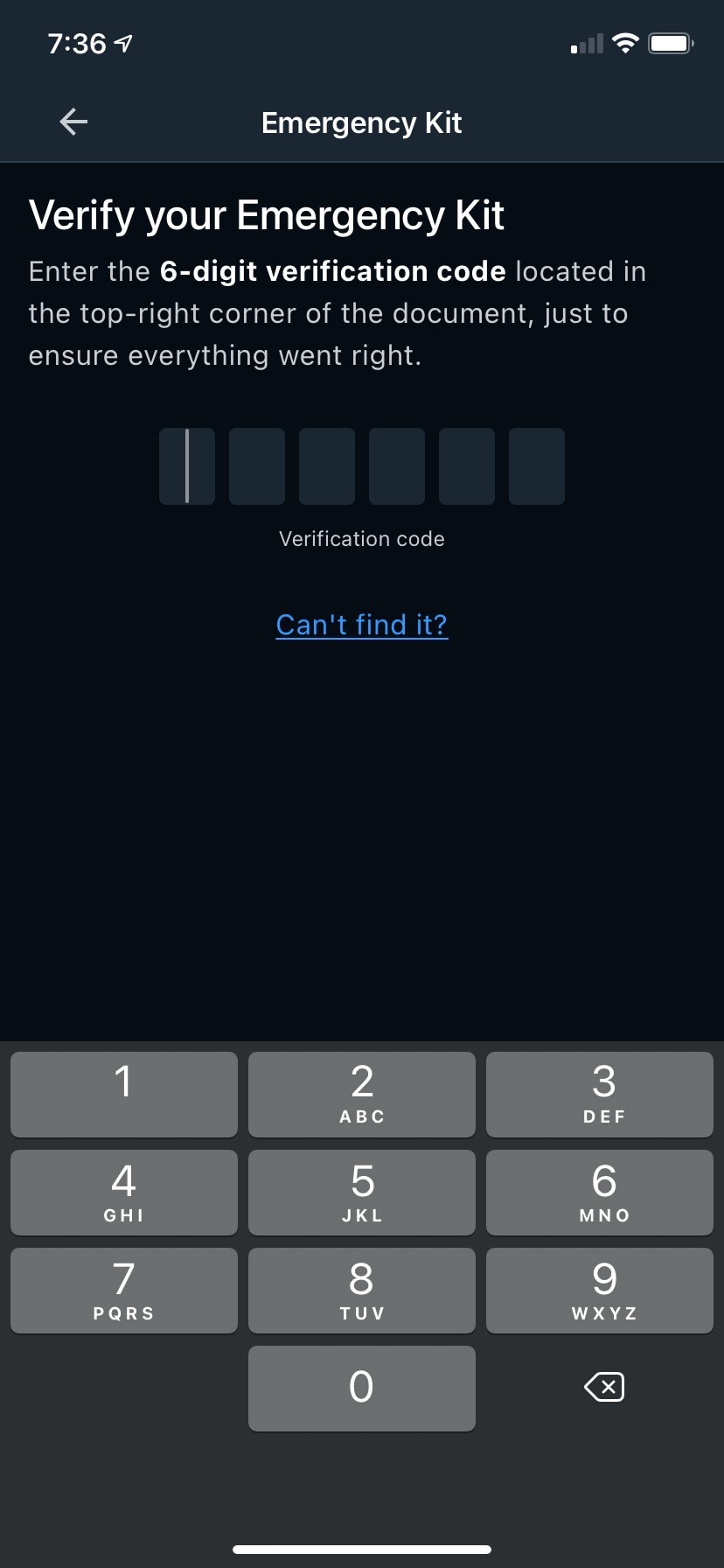
    Enter the 6-digit verification code located in the top-right corner of the document, just to ensure everything went right.

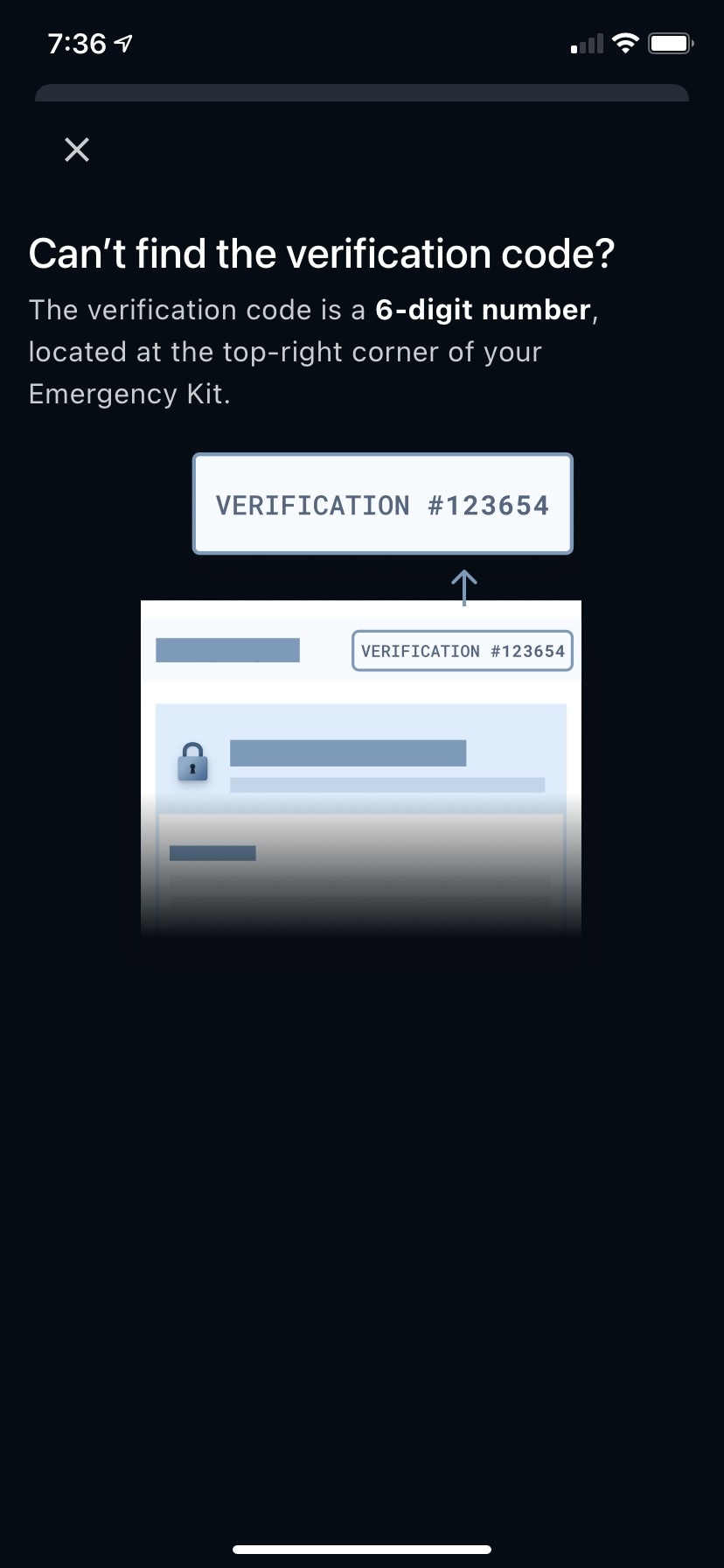
    A second "code" enters a flow whose whole security story rests on the first one, and nothing distinguishes them. The Recovery Code must never be typed anywhere or stored online; the verification code is printed on a file the user was just told to put in Google Drive. Both are called codes, both are entered on similar screens, and the help modal repeats "verification code" without ever saying it is not the Recovery Code. "Just to ensure everything went right" then downplays the one step that actually proves the kit saved correctly.

    Suggested fix Say what it is and what it is not. Body → "Open the kit you just saved and enter the 6-digit number printed in its top-right corner. This confirms the file saved correctly — it's not your Recovery Code." Help link → "Where do I find it?"

  9. 9mediumTrust erosion
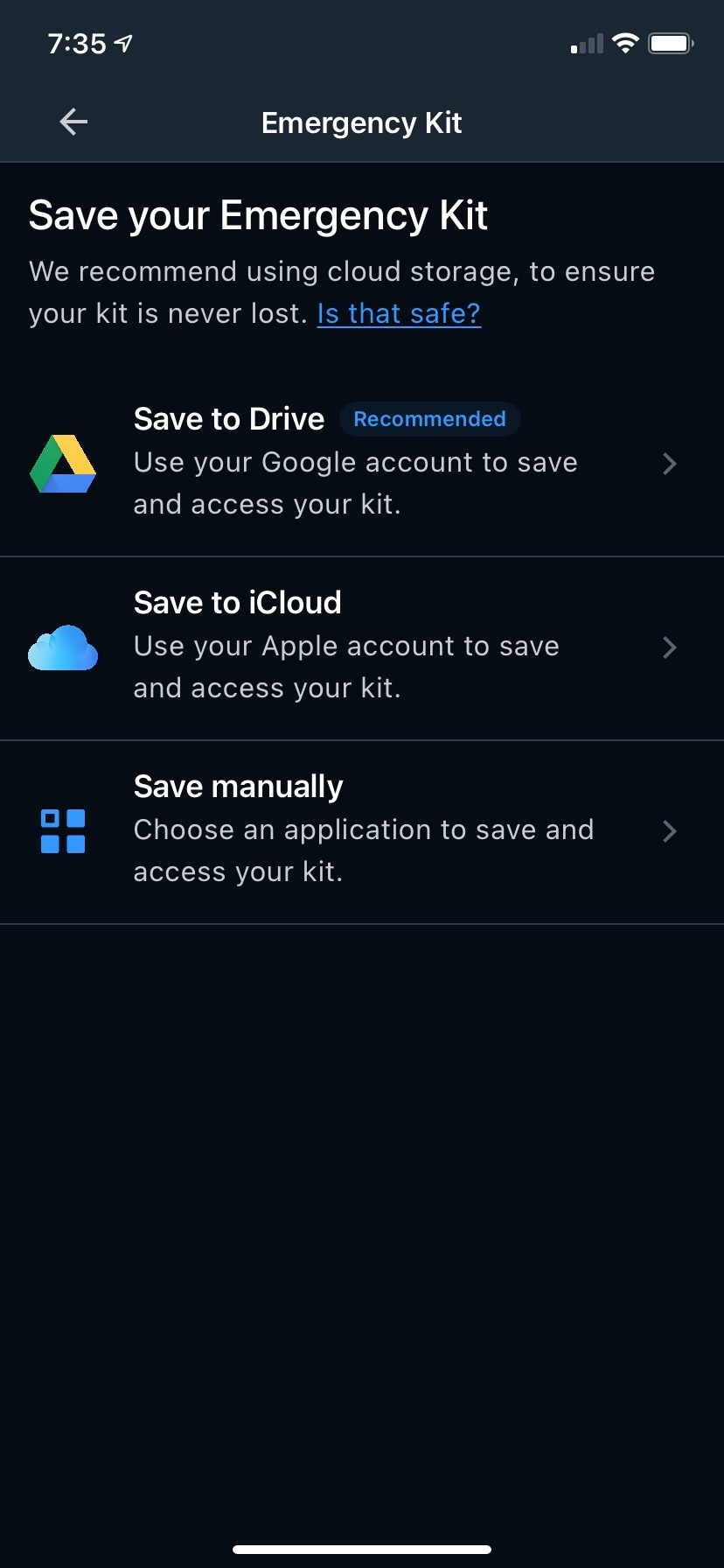
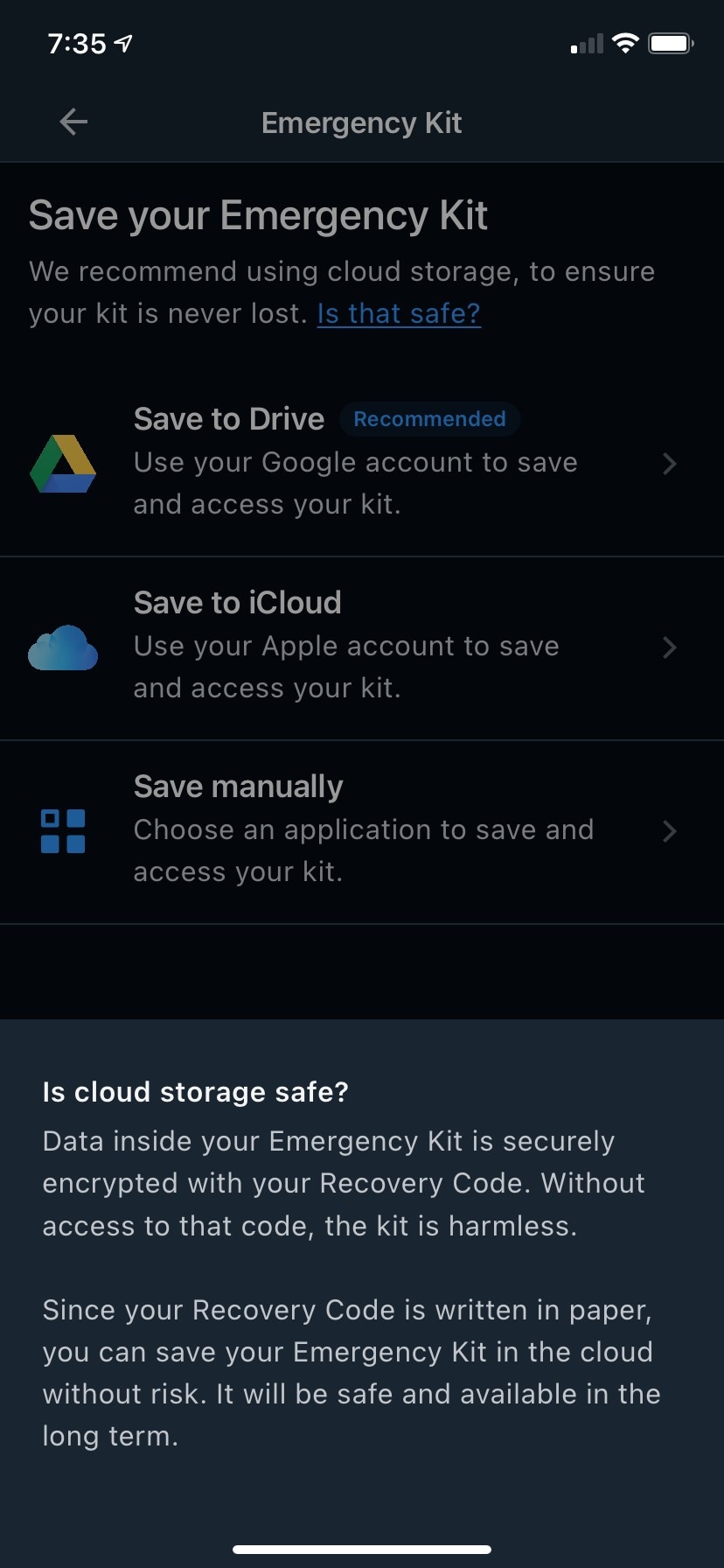
    Without access to that code, the kit is harmless.

    The one passage a sceptical reader will actually stop and read is the least carefully written in the flow. "Harmless" describes the kit's capacity to hurt someone, when the point is that it is useless to whoever finds it. "Since your Recovery Code is written in paper" is ungrammatical, and a typo in a security explanation costs more than a typo anywhere else. "Without risk" is an absolute the sentence cannot support — the actual condition is that the code and the kit are stored separately, which the copy never states as a requirement. The introduction above also runs a comma splice: "We recommend using cloud storage, to ensure your kit is never lost."

    Suggested fix Intro → "We recommend cloud storage so your kit can't be lost. Is that safe?" Answer → "Everything inside your Emergency Kit is encrypted with your Recovery Code. Without that code, the file can't be opened." Second paragraph → "Your Recovery Code is on paper, not in the cloud — so anyone who finds the file still can't read it. Keep the code and the kit in different places."

  10. 10lowMissed opportunity
    EXCELLENT

    Buttons in this flow either say nothing about what happens next or congratulate the user instead. "START" appears on two different screens for two different methods. "CONTINUE" sits under a code the user is supposed to have copied by hand, and asserts nothing about whether they did. "EXCELLENT" appears twice — praise where a label should be, and on the Recovery Code success screen it also implies an ending when a third step remains. Muun gets this right once, on "CONFIRM RECOVERY CODE" and "CREATE YOUR EMERGENCY KIT"; the rest of the flow does not match that standard.

    Suggested fix Email screen START → "SET UP EMAIL RECOVERY". Alternative-backup START → "SHOW MY RECOVERY CODE". Step 1 of 3 CONTINUE → "I'VE WRITTEN IT DOWN". Recovery Code success EXCELLENT → "CONTINUE SETUP". Emergency Kit success EXCELLENT → "DONE".

  11. 11lowMissed opportunity
    You have complete, undisputed ownership of your bitcoin.

    "Undisputed" answers an objection nobody raised — no one was disputing the user's ownership, and the word imports a legal register into the flow's closing line. It also overstates: the user's ownership did not change during this flow. What changed is that they can now recover their bitcoin without Muun, which is both the more accurate claim and the more impressive one. Dave in particular reads unearned superlatives as marketing, and this is the last sentence the flow leaves him with.

    Suggested fix Ownership screen heading → "Recoverable without Muun", body → "With your Emergency Kit and your Recovery Code, you can recover your bitcoin even if Muun disappears." Final success → "You can now recover your bitcoin with or without Muun."

What's working

  • "Use pen and paper. For security, don't save this on your phone or in the cloud." (recovery-code-display-screen-step-1-of-3) — the rule and the reason in one line, with the two wrong answers named explicitly rather than left to inference.
  • "I understand Muun doesn't keep a copy of my Recovery Code, and it can't be changed." (recovery-code-acknowledgment-screen-step-3-of-3) — no euphemism, no hedge. This is the sentence most wallets soften.
  • "Can't find it?" and its modal (verification-code-help-modal-with-location-illustration) — help offered at the exact moment of the question, answering it with the number in place rather than describing where to look.
  • The Security Center's status line changes with state — "Your wallet is not backed up" → "You're one step away from a complete setup" → "You completed your setup". Three different sentences doing three different jobs, which is more than most wallets bother with.

Gaps in this review

  • No error or validation copy is captured. A wrong Recovery Code on step 2 of 3, a wrong verification code, a failed cloud save, no network — none appear in the screenshots, and error messages are where copy reviews usually find the most.
  • The email path was skipped in the capture. Email entry, password creation, password rules and the verification email are not in the flow, so every judgment about method 1 above rests on the Security Center cards, the intro screen and the skip dialog.
  • The Emergency Kit PDF's own copy was not reviewed. The Gallery holds it (emergency-kit-pdf-instructions-and-recovery-steps, emergency-kit-pdf-view-showing-encrypted-keys, emergency-kit-pdf-advanced-information-with-output-descriptors) but it is not in this flow's screen list. That document is where the "recover without Muun" promise is actually kept, and it deserves its own pass.
  • Recovery itself is not covered — only backup. Whether the same four names are used the same way when someone is restoring cannot be checked from these screens.
  • One curated Design Guide link is dead. https://bitcoin.design/guide/onboarding/emergency-recovery/ returns 404; https://bitcoin.design/guide/onboarding/backing-up-a-wallet/ redirects to https://bitcoin.design/guide/daily-spending-wallet/backup-and-recovery/landing-page/. Both are in app/data/muun.json and should be updated.
  • A Gallery data issue surfaced by this review. The screen id alternative-backup-setup-screen-with-recovery-phrase-illustration describes the screen as showing a "recovery phrase"; the screen says "Write down a code on paper" and the illustration is masked blocks, not words. The id is what made this flow look like it mixed terminology when it doesn't.

Carried forward

No prior reports on muun + backup in the review log, so nothing to compare against. This run is the baseline.